phone 3GS 4.3.1 unlock without wifi guide
iPhone Firmware 4.3.1 Download here http://www.gsmsolution.biz/forum/showthread.php?t=38942
1. download iphone folder from here and install to your PC
and Download this unlock without WIFI.zip
2. Open Iphone folder in explorer and create a folder named ""AutoInstall"" in your iphone..
" iPhone\private\var\root\Media\Cydia\ "
and put these 2 files in your "AutoInstall" folder
3. now restart iPhone 2 times....
4 done
Before unlocking
iPhone Firmware 4.3.1 Download here http://www.gsmsolution.biz/forum/showthread.php?t=38942
1. download iphone folder from here and install to your PC
and Download this unlock without WIFI.zip
2. Open Iphone folder in explorer and create a folder named ""AutoInstall"" in your iphone..
" iPhone\private\var\root\Media\Cydia\ "
and put these 2 files in your "AutoInstall" folder
3. now restart iPhone 2 times....
4 done
Before unlocking

After Unlock

here is the video how to add " AutoInstall " folder to you iPhone
youtube
blogspot
make sure you jailbreak properly your iPhone before you use the unlock
without wifi method because after you reboot, iPhone can't install
mobilesubstrate_0.9.3367-1_iphoneos-arm.deb in AutoInstall folder
For Wifi fallow this guide credits goes to iclarified for there image
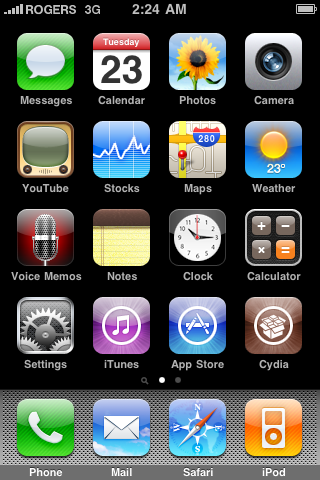
Step One
Press to launch Cydia Installer from your SpringBoard.
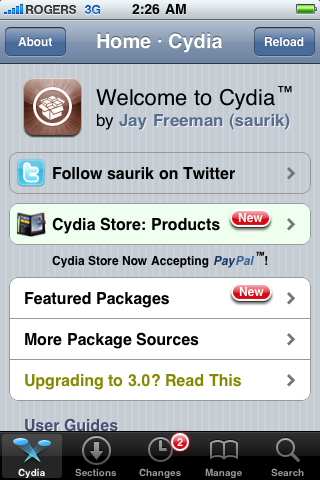
Step Two
Press to select the Manage tab at the bottom of the screen.
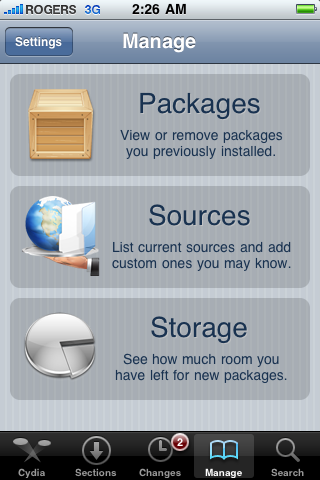
Step Three
Press to select the large Sources button
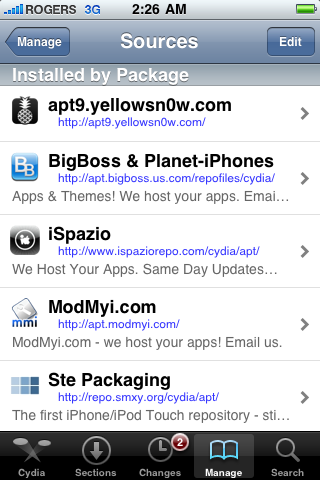
Step Four
If the ultrasn0w repo is not present press the Edit button at the top right of the screen. Otherwise, skip to Step Nine.
Step Five
Press the Add button at the top left of the screen.
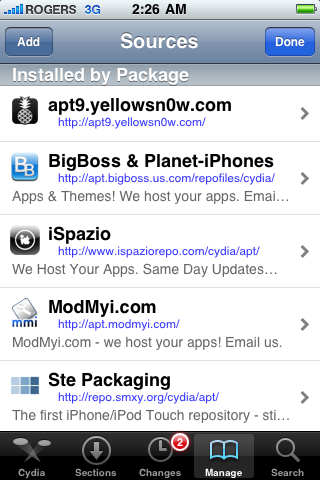
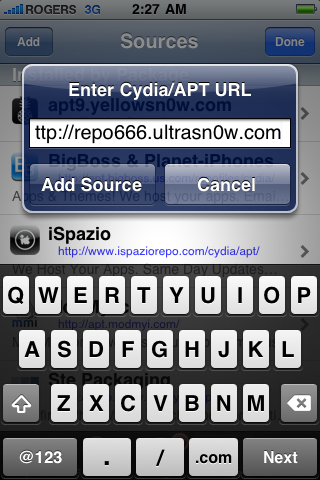
Step Seven
Once the source has been added press the large Return to Cydia button.
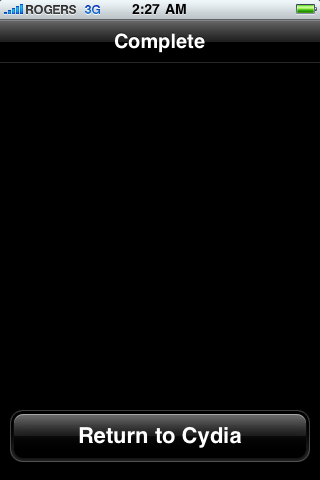
Step Eight
Press the Done button at the top right of the screen
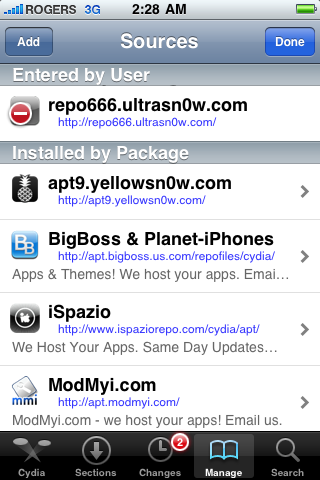
Step Nine
Press to select repo666.ultrasn0w.com from the list of user entered sources.
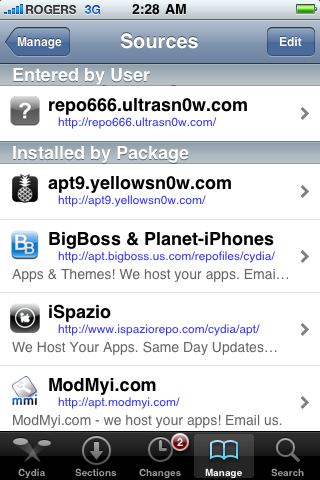
Step Ten
Press to select ultrasn0w from the list of packages

Step Eleven
Press the Install button at the top right of the screen.

Step Twelve
Press the Confirm button at the top right of the screen.

Step Thirteen
After installation completes successfully press the large Restart Springboard button.

here is the finish product

